
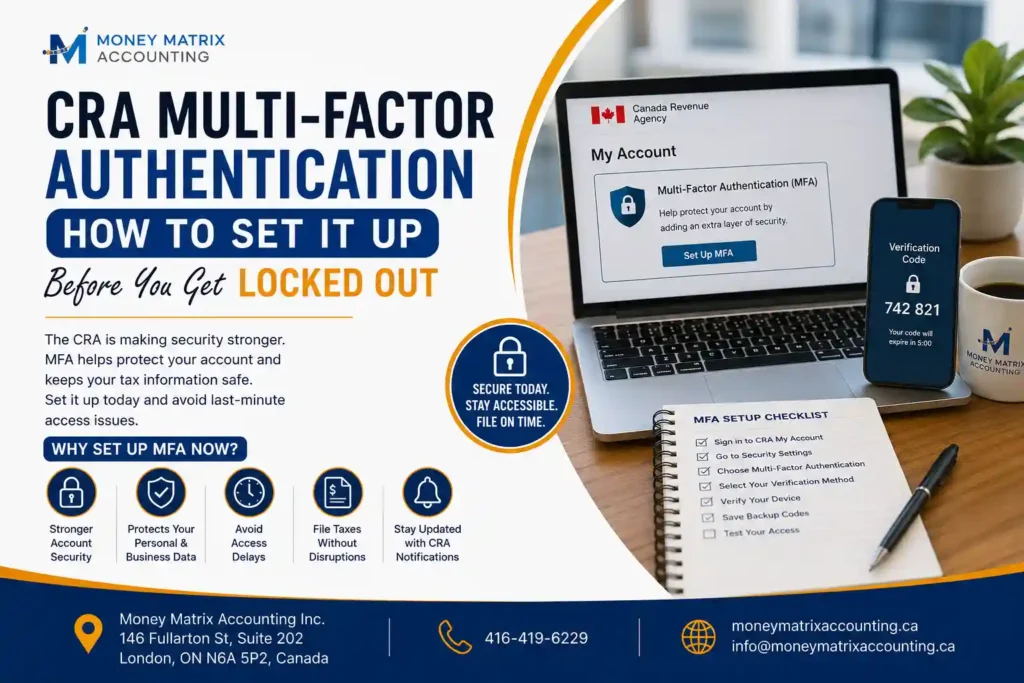
If you’ve logged into CRA My Account recently and been stopped by a screen asking you to add a “backup MFA option,” you’re not imagining things — and you’re not alone. Starting in February 2026, the Canada Revenue Agency began requiring every CRA My Account and My Business Account user to have a second, backup sign-in method on file, not just their usual one-time passcode.
Here’s the part that’s catching people off guard: a lot of taxpayers assume their phone number counts as a backup. It doesn’t. And if you get locked out mid-filing, with a deadline sitting right in front of you, that’s a genuinely stressful problem to solve on your own — especially for self-employed and incorporated business owners in London who can’t afford a multi-day delay.
This guide clears up exactly what changed, how to fix it in a few minutes, and what your options are if you’re already locked out right now.
Why CRA Accounts Are Suddenly Getting Locked
For years, CRA accounts only asked for one MFA method — usually a one-time code sent to your phone. That’s still true today, but it’s no longer enough on its own. The CRA now wants a backup method registered too, in case you lose access to your phone, switch numbers, or your primary method just doesn’t work when you need it most.
A plain phone number or text message no longer qualifies as a backup option. You need one of two things on file instead:
- A third-party authenticator app (like Google Authenticator or Microsoft Authenticator)
- A passcode grid — a printed or saved card of codes the CRA generates for you
If you haven’t set one of these up, the CRA will keep prompting you every time you log in. During tax season you can technically skip the prompt for a while — but eventually, especially if your primary method fails, that’s when people find themselves completely locked out with no easy way back in.
A plain phone number or text message no longer qualifies as a backup option. You need one of two things on file instead:
Authenticator App vs. Passcode Grid: Which Backup Should You Use?
This is genuinely one of the most confused parts of the whole process — most people don’t know these are two totally different tools, or which one actually suits them.
Authenticator App | Passcode Grid | |
How it works | Generates a rotating one-time code on your phone | A printed/saved grid of codes; CRA asks for specific squares at login |
Setup time | Under 5 minutes (scan a QR code or enter a setup key) | Under 5 minutes (save or print the grid CRA generates) |
Best for | People comfortable with apps, frequent travelers, or anyone who’s had SMS delivery issues | People who prefer a physical/offline backup with no app dependency |
Validity | Ongoing, tied to your device | Valid for roughly 18 months, then needs regenerating |
Risk if lost | Lost phone = need a new setup via CRA | Lost or damaged grid = need to regenerate via CRA |
Multiple devices | Register the same app across devices you use to avoid future lockouts | Store the grid somewhere accessible, but secure |
Neither option is objectively “better” — it comes down to your habits. If you already use an authenticator app for banking or other logins, stick with what you know. If you’d rather have something physical you can print and file away, the passcode grid does the job just as well.
How to Set Up Your Backup MFA (Step by Step)
- Log in to your CRA My Account or My Business Account as usual, using your existing primary MFA.
- From the Welcome page, go to Security settings.
- Select Multi-factor authentication.
- Choose Add or update your MFA options.
- Pick either the authenticator app or passcode grid, and follow the on-screen prompts (scan the QR code, or save/print your grid).
- Confirm the setup with a one-time passcode to activate it.
That’s genuinely it — most people are done in under five minutes once they know where to click.
What If You're Already Locked Out Mid-Filing?
This is the scenario that actually matters most, and it’s where things get frustrating fast. If you’ve lost access to both your primary and backup method, you can’t just reset it yourself online — you’ll need to contact the CRA directly to verify your identity and regain access, and during peak tax season that can mean long hold times right when you least have the patience for it.
If a filing deadline, a Notice of Objection window, or a document request from CRA is bearing down on you and you’re locked out, here’s what actually helps:
- Don’t wait it out. The longer you wait to start the recovery process, the tighter your timeline gets.
- Have your identity verification info ready before you call — SIN, address on file, and prior year return details are typically needed.
- Loop in your accountant early. A CPA or authorized representative may be able to access certain information on your behalf through CRA’s Represent a Client service, which can keep things moving even while your personal login is sorted out.
This is exactly the kind of situation where having someone who already deals with CRA’s systems daily makes a real difference — at Money Matrix Accounting, this is a fairly regular call we get from London-area clients during tax season, and often we can keep a filing or response moving even while the login issue gets untangled on the CRA side.
If a filing deadline, a Notice of Objection window, or a document request from CRA is bearing down on you and you’re locked out, here’s what actually helps:
Which Backup Method Fits Your Situation?
Not every taxpayer has the same risk profile here. A quick way to think about it:
- Self-employed / freelancers: You’re likely logging in more often to check installment payments or GST/HST filings — an authenticator app tends to be more convenient for frequent access.
- Incorporated business owners: You’re managing My Business Account, often with payroll and corporate filing deadlines stacked together. A locked account here can delay payroll remittances, not just personal filing — worth setting up both a backup method and having Represent a Client access set up with your accountant as a safety net.
- High-net-worth individuals / complex returns: You’re more likely to deal with CRA correspondence, audits, or Notices of Objection with real time sensitivity. Losing account access at the wrong moment carries higher stakes, so redundancy matters — set up your backup now, not when you’re already mid-issue.
If you’re not sure which category best describes your filing situation, that’s a quick conversation worth having with your accountant rather than guessing.
Frequently Asked Question
Does my phone number count as a backup MFA option for CRA?
How long does it take to set up backup MFA on CRA My Account?
What happens if I skip the backup MFA prompt?
I'm locked out of CRA My Account right now — what do I do?
Is the passcode grid safer than an authenticator app?
Can my accountant help if I'm locked out of my own CRA account?
Conclusion
CRA’s new backup MFA requirement is a small five-minute task that’s easy to put off — until the moment you actually need it, usually right when a deadline is closest. Setting it up now, before you’re forced to during a stressful login failure, is genuinely the easiest way to avoid the headache altogether.
And if you do find yourself locked out mid-filing, you don’t have to sort it out alone. Money Matrix Accounting works with clients across London and throughout Ontario on exactly this kind of CRA account and filing stress — if you’re stuck, reach out to Money Matrix Accounting and we’ll help you get back on track.